
140 lines
5.8 KiB
Markdown
140 lines
5.8 KiB
Markdown
<p align="center">
|
||
<img src="https://img.shields.io/badge/Vue-3.3.1-brightgreen.svg"/>
|
||
<img src="https://img.shields.io/badge/Vite-4.3.5-green.svg"/>
|
||
<img src="https://img.shields.io/badge/Element Plus-2.3.4-blue.svg"/>
|
||
<img src="https://img.shields.io/badge/license-MIT-green.svg"/>
|
||
<a href="https://gitee.com/youlaiorg" target="_blank">
|
||
<img src="https://img.shields.io/badge/Author-有来开源组织-orange.svg"/>
|
||
</a>
|
||
</p>
|
||
<p align="center">
|
||
<a target="_blank" href="https://juejin.cn/post/7228990409909108793">vue3-element-admin官方文档</a> | <a target="_blank" href="http://vue3.youlai.tech">在线预览</a>
|
||
</p>
|
||
|
||
## 项目介绍
|
||
|
||
[vue3-element-admin](https://gitee.com/youlaiorg/vue3-element-admin) 是基于 Vue3 + Vite4+ TypeScript5 + Element-Plus + Pinia 等最新主流技术栈构建的后台管理前端模板(配套后端源码)。
|
||
|
||
项目有以下特性:
|
||
|
||
- 基于 vue-element-admin 升级到 vue3 版本,无自定义封装,易上手,减少学习成本。
|
||
- 提供了配套的 Java 后端接口,真实的接口数据,而非使用 Mock 数据。您可以访问在[线接口文档](https://www.apifox.cn/apidoc/shared-195e783f-4d85-4235-a038-eec696de4ea5)查看接口详情。
|
||
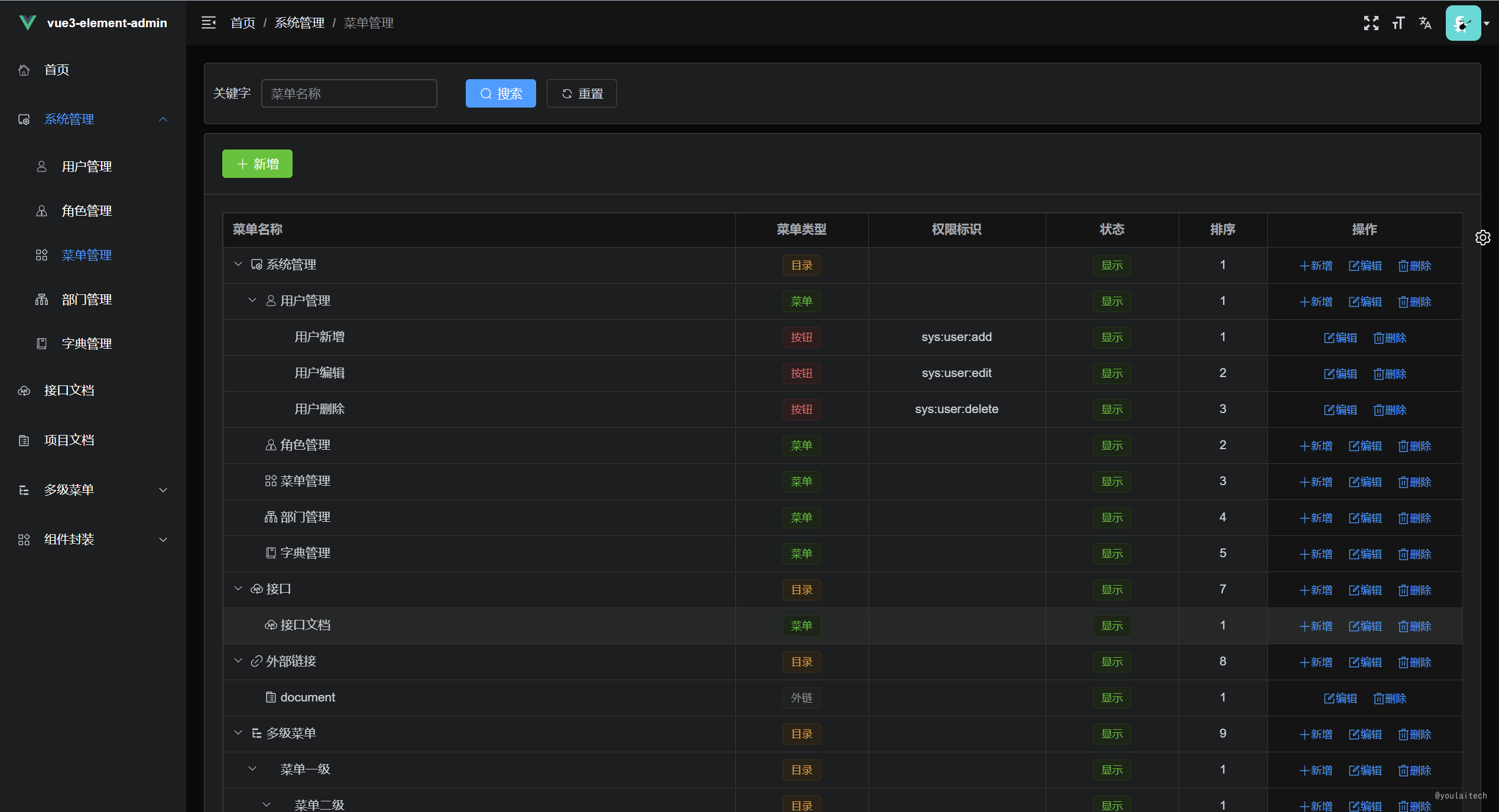
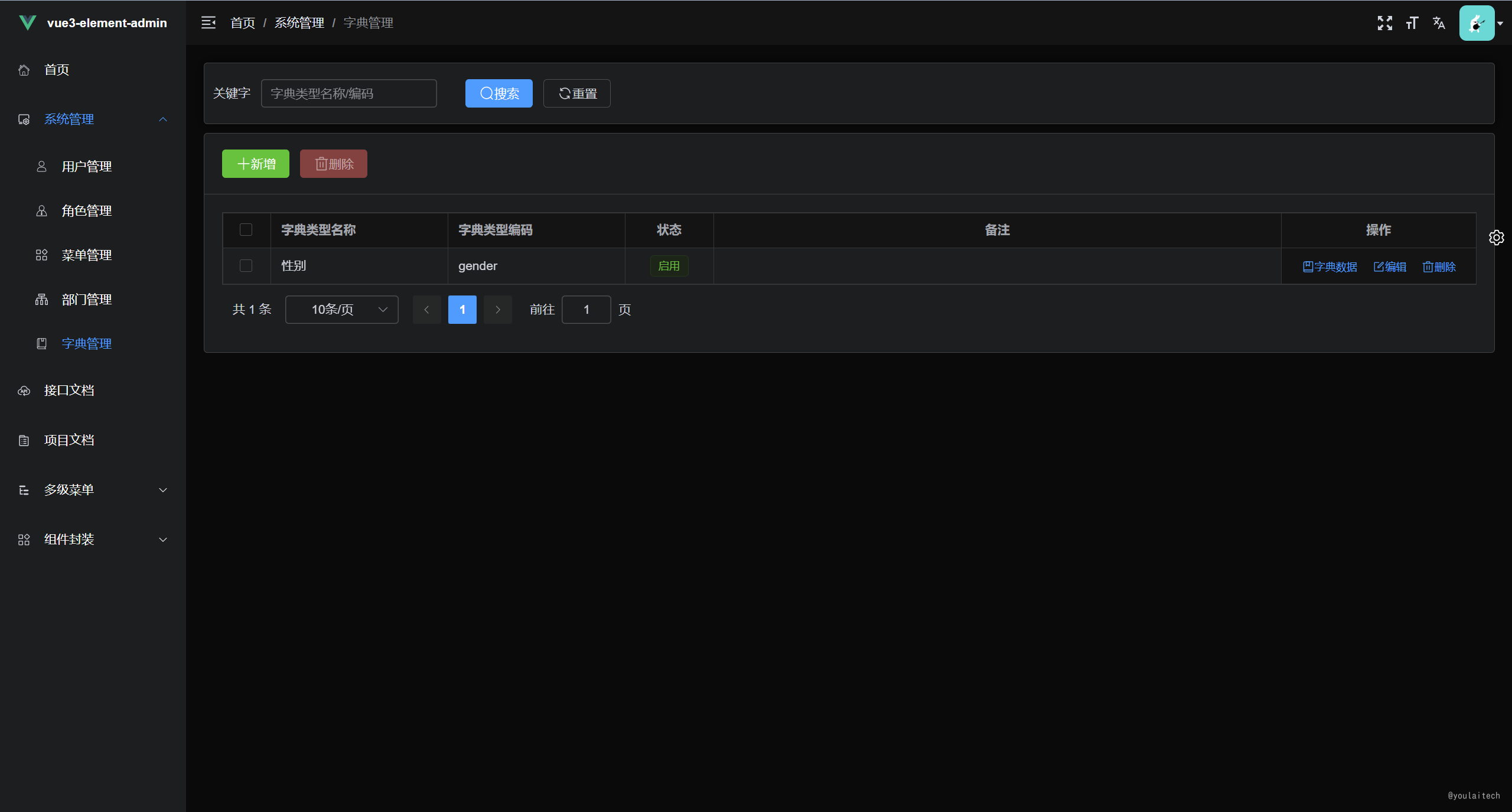
- 权限系统功能齐全,包括用户管理、角色管理、菜单管理、字典管理和部门管理等,以满足您对权限管理的需求。
|
||
- 项目还提供了基础设施支持,包括动态路由、按钮级别的权限控制、国际化支持、代码规范、Git 提交规范以及常用组件的封装,以便开发人员更高效地开发和维护项目。
|
||
## 项目预览
|
||
|
||
- **在线预览**: [https://vue3.youlai.tech/](https://vue3.youlai.tech/)
|
||
|
||
- **控制台**
|
||
|
||
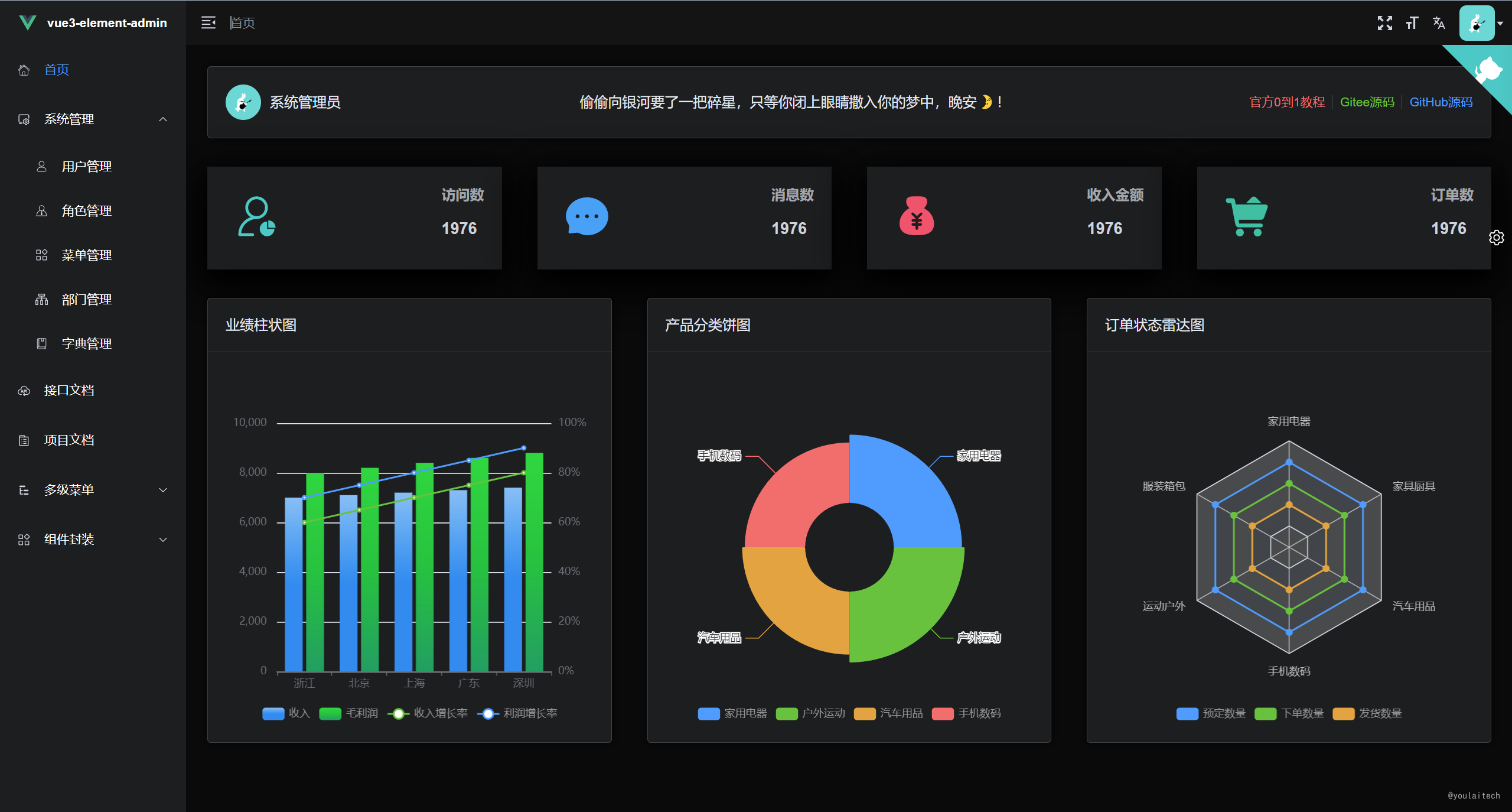
|
||
|
||
- **接口文档**
|
||
|
||
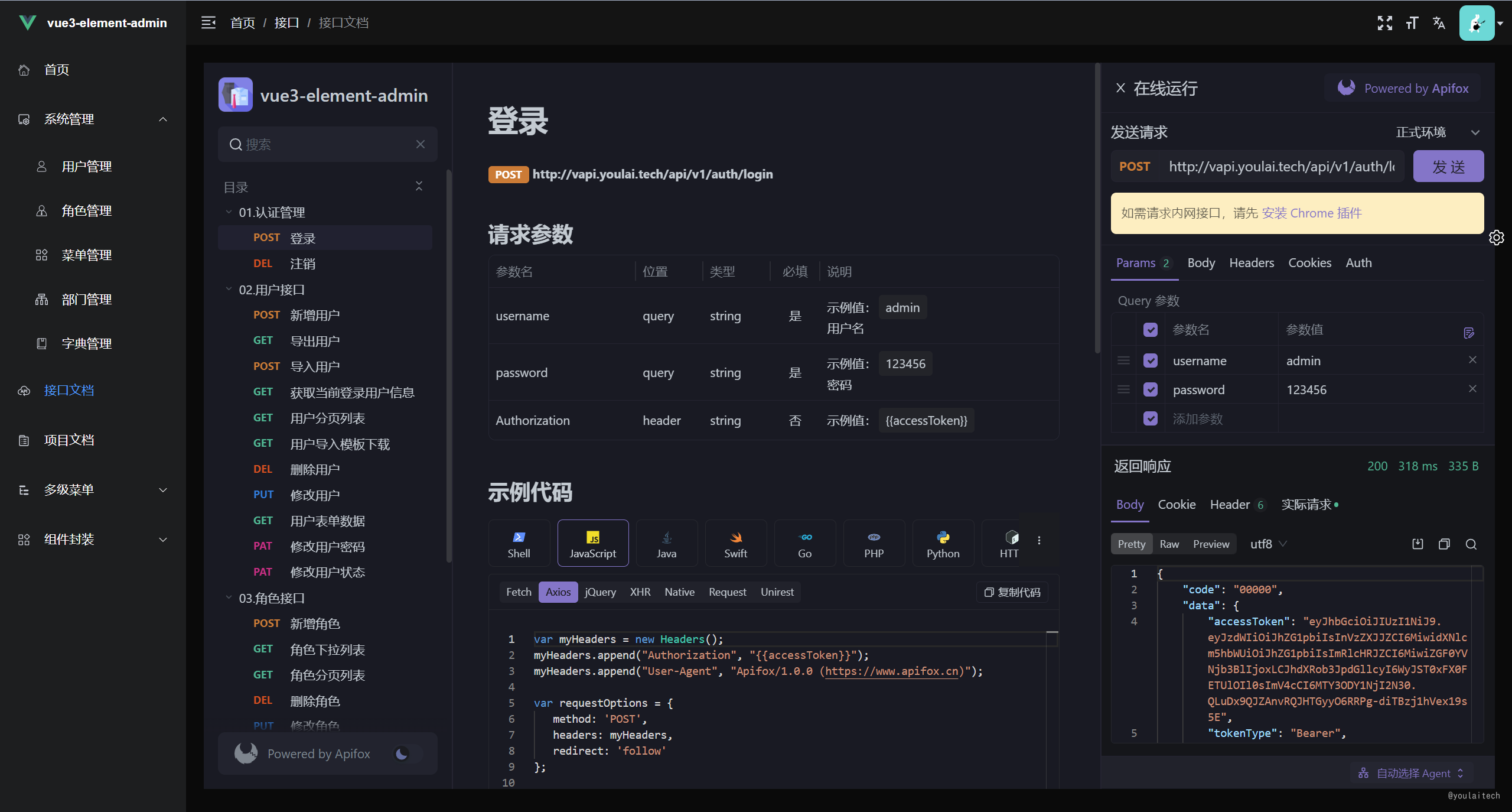
|
||
|
||
|
||
- **权限管理系统**
|
||
|
||
| 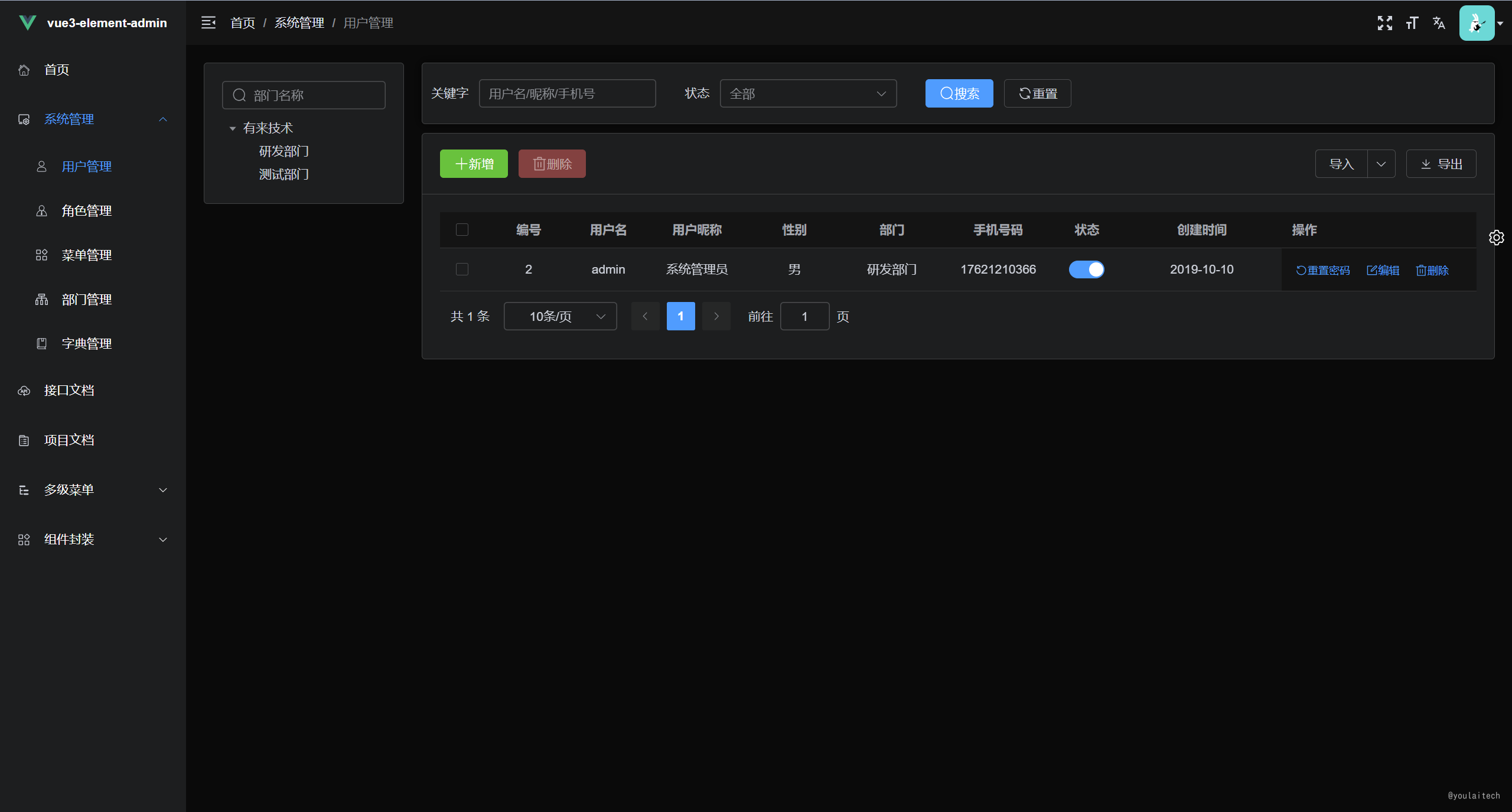 | 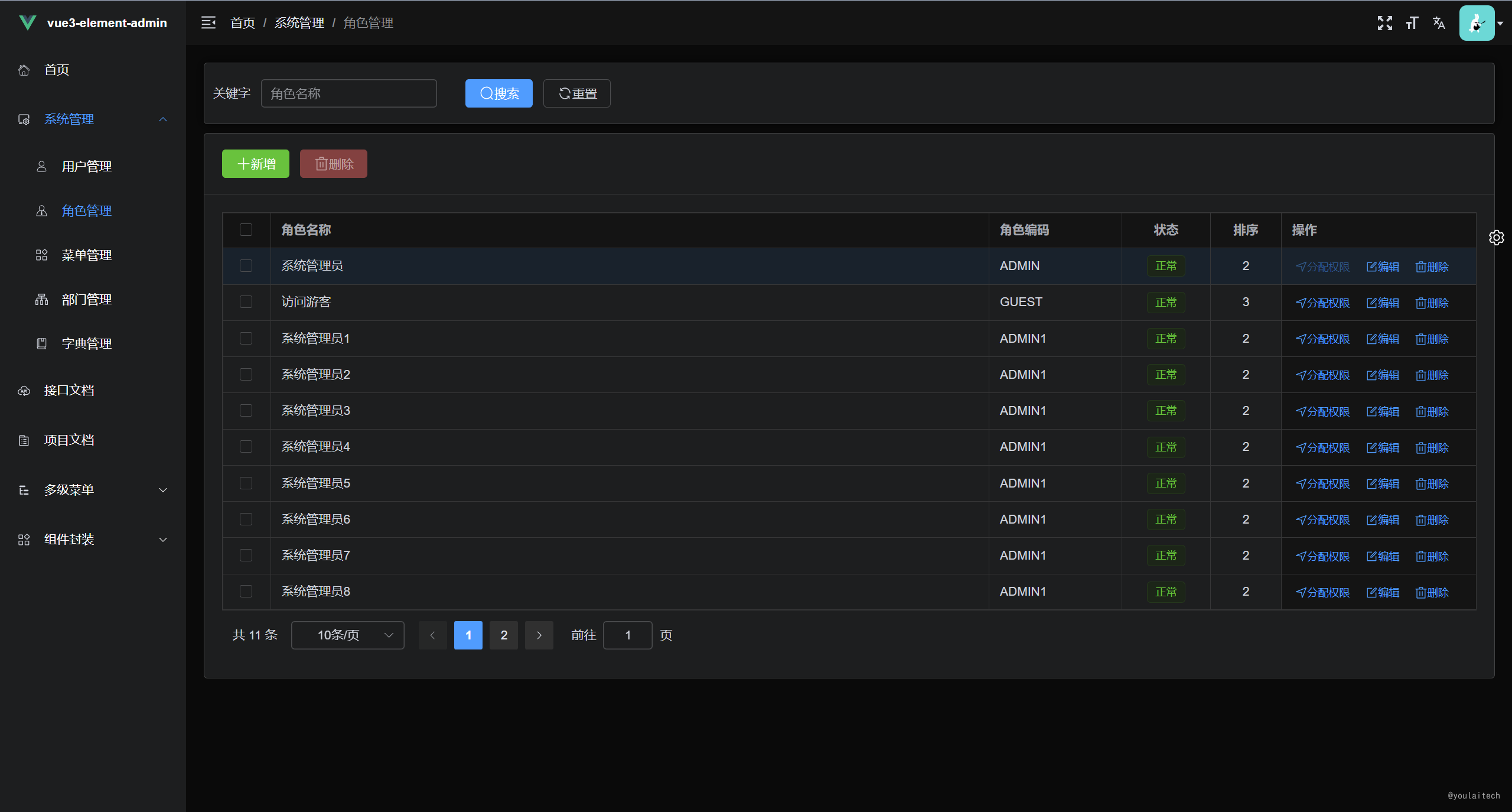 |
|
||
| --- | --- |
|
||
|  |  |
|
||
|
||
## 项目地址
|
||
|
||
| 项目 | Gitee | Github |GitCode |
|
||
| --- | --- | --- | --- |
|
||
| 前端 | [vue3-element-admin](https://gitee.com/youlaiorg/vue3-element-admin) | [vue3-element-admin](https://github.com/youlaitech/vue3-element-admin) |[vue3-element-admin](https://gitcode.net/youlai/vue3-element-admin)|
|
||
| 后端 | [youlai-boot](https://gitee.com/youlaiorg/youlai-boot) | [youlai-boot](https://github.com/haoxianrui/youlai-boot.git) |[youlai-boot](https://gitcode.net/youlai/youlai-boot)|
|
||
|
||
## 环境准备
|
||
|
||
| 环境 | 名称版本 | 备注 |
|
||
| ----------- | :-------- | --------------|
|
||
| **开发工具** | VSCode | [下载地址](https://code.visualstudio.com/Download) |
|
||
| **运行环境** | Node 16+ | [下载地址](http://nodejs.cn/download) |
|
||
| **VSCode插件(必装)** | 1. `Vue Language Features (Volar) ` <br/> 2. `TypeScript Vue Plugin (Volar) ` <br/>3. 禁用 Vetur | 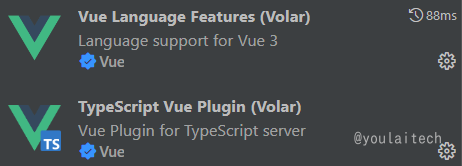 |
|
||
|
||
|
||
## 项目启动
|
||
|
||
```bash
|
||
# 克隆代码
|
||
git clone https://gitee.com/youlaiorg/vue3-element-admin.git
|
||
|
||
# 安装 pnpm
|
||
npm install pnpm -g
|
||
|
||
# 安装依赖
|
||
pnpm install
|
||
|
||
# 启动运行
|
||
pnpm run dev
|
||
```
|
||
|
||
## 项目部署
|
||
|
||
```bash
|
||
# 项目打包
|
||
pnpm run build:prod
|
||
|
||
# 上传文件至远程服务器
|
||
将打包生成在 `dist` 目录下的文件拷贝至 `/usr/share/nginx/html` 目录
|
||
|
||
# nginx.cofig 配置
|
||
server {
|
||
listen 80;
|
||
server_name localhost;
|
||
location / {
|
||
root /usr/share/nginx/html;
|
||
index index.html index.htm;
|
||
}
|
||
# 反向代理配置
|
||
location /prod-api/ {
|
||
proxy_pass http://vapi.youlai.tech/; # vapi.youlai.tech替换成你的后端API地址
|
||
}
|
||
}
|
||
```
|
||
|
||
|
||
## 接口支持
|
||
|
||
- **接口调用地址**:[https://vapi.youlai.tech](https://vapi.youlai.tech)
|
||
- **接口文档地址**:[在线接口文档](https://www.apifox.cn/apidoc/shared-195e783f-4d85-4235-a038-eec696de4ea5)
|
||
- **OpenAPI文档地址**:[http://vapi.youlai.tech/v3/api-docs](http://vapi.youlai.tech/v3/api-docs)
|
||
- **本地接口**:默认使用线上接口,你可以通过以下步骤完成本地接口环境搭建:
|
||
|
||
> 1. 获取基于 `Java 、SpringBoot` 开发的后端 [youlai-boot](https://gitee.com/youlaiorg/youlai-boot.git) 源码 ;
|
||
> 2. 根据后端工程说明文档 [README.md](https://gitee.com/youlaiorg/youlai-boot#%E9%A1%B9%E7%9B%AE%E8%BF%90%E8%A1%8C) 完成本地启动;
|
||
> 3. 替换 [vite.config.ts](vite.config.ts) 的代理目标地址 [vapi.youlai.tech](vapi.youlai.tech) 为本地的 [localhost:8989](localhost:8989).
|
||
|
||
|
||
|
||
## 项目文档
|
||
|
||
- [基于 Vue3 + Vite4 + TypeScript + Element-Plus 从0到1搭建后台管理系统](https://blog.csdn.net/u013737132/article/details/130191394)
|
||
|
||
- [ESLint+Prettier+Stylelint+EditorConfig 约束和统一前端代码规范](https://blog.csdn.net/u013737132/article/details/130190788)
|
||
- [Husky + Lint-staged + Commitlint + Commitizen + cz-git 配置 Git 提交规范](https://blog.csdn.net/u013737132/article/details/130191363)
|
||
|
||
|
||
## 提交规范
|
||
|
||
执行 `pnpm run commit` 唤起 git commit 交互,根据提示完成信息的输入和选择。
|
||
|
||

|
||
|
||
## 公众号🎉
|
||
|
||
> 无广告,佛系公众号,随缘更新开源组织成员技术分享,期待您的关注!
|
||
|
||

|
||
|
||
## 交流群🚀
|
||
|
||
> 如果交流群的二维码过期,请加我微信,备注「前端」、「后端」或「全栈」即可,我将邀请您加入对应的微信群。
|
||
|
||

|
||
|
||
|